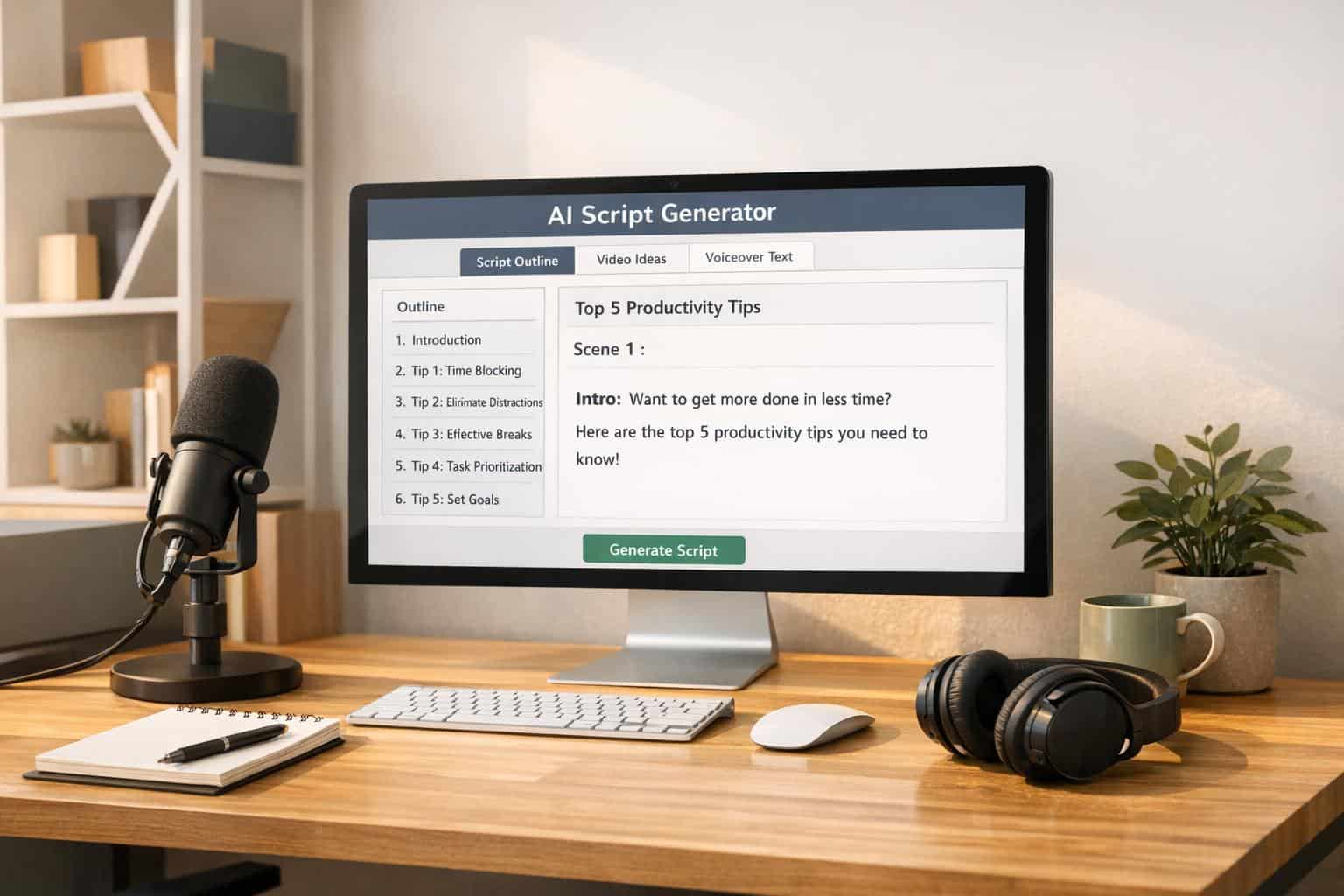
Faceless YouTube channels are a growing trend where creators stay off-camera, using tools like voiceovers, stock footage, and animations to produce content. AI now plays a key role in automating tasks like scriptwriting, voiceovers, and video assembly, enabling creators to manage multiple channels and post consistently without burnout. Here’s what you need to know:
- AI saves time and money: Scriptwriting that used to take hours can now be done in minutes, cutting costs on hiring writers.
- Profitable niches thrive with AI: Topics like finance, tech, and true crime perform well due to their structured, info-rich format.
- Automation boosts efficiency: Tools like ChatGPT, Claude, and ElevenLabs streamline content creation, allowing creators to publish 3–7 videos weekly.
- High earnings potential: Faceless channels can earn $12,000–$120,000 annually, with some niches reaching CPMs as high as $35.
How to Start a Faceless YouTube Channel With AI in 2025 (Step-by-Step Tutorial)
sbb-itb-4bfa3ba
Planning Your Channel and Script Strategy
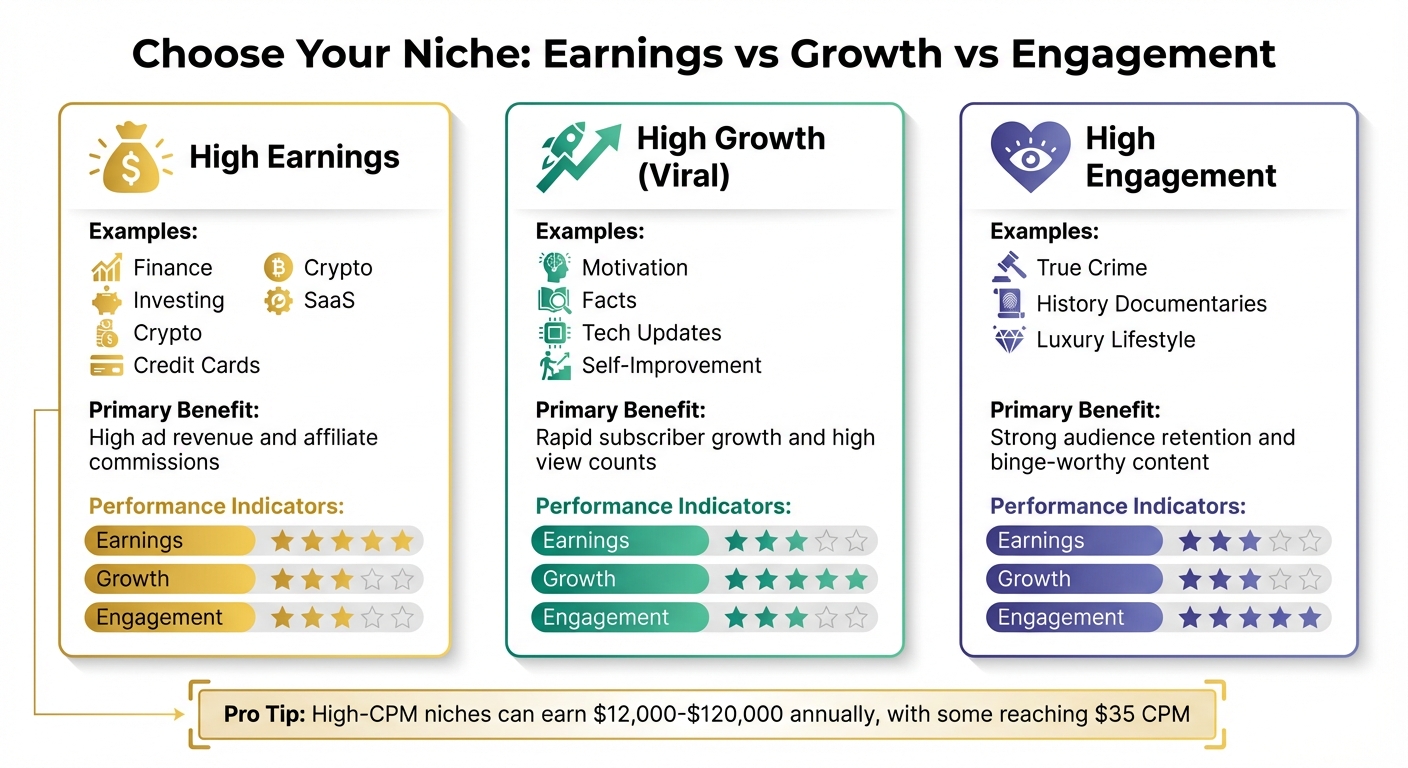
Best YouTube Niches for Faceless AI Channels: Earnings, Growth & Engagement Comparison
Before diving into AI for content creation, take the time to plan your channel. AI can speed up the process, but without a clear strategy, you’ll end up with generic results. Successful creators treat their channels like a business – they understand their audience, focus on profitable topics, and use proven templates consistently. These steps ensure your creative efforts align with measurable goals.
Set Your Content Goals and Monetization Plan
Start by defining your channel’s purpose. Are you aiming to qualify for the YouTube Partner Program (1,000 subscribers and 4,000 watch hours in 12 months)? Or are you focusing on affiliate commissions right from the start? Your objectives will influence decisions like video length, topics, and posting frequency.
Work backward from your income goals. For example, if you’re aiming to earn $2,000 per month and your RPM (revenue per thousand views) is $10, you’ll need around 200,000 views. Depending on your niche and average view counts, this could mean producing three to five videos weekly. Knowing these numbers upfront helps you stay aligned with your earning goals and decide if additional revenue streams – like digital products, merchandise, or sponsorships – are necessary.
Pick Niches That Work with AI Scripts
AI thrives in niches that focus on structured, information-rich content. Formats like explainers, comparisons, tutorials, and "Top 10" lists work particularly well because they follow predictable patterns that AI can replicate efficiently. Niches such as finance, technology, productivity, health, and true crime offer a mix of high engagement and strong monetization opportunities. Plus, these topics often don’t require you to appear on camera.
However, avoid niches that depend heavily on genuine human emotion or spontaneity. For instance, reaction videos rely on real-time facial expressions, and deeply personal storytelling needs authenticity – something AI can’t fully replicate.
To ensure your niche has demand, use tools like Google Trends or TubeBuddy. Targeting long-tail keywords – like "best AI tools for students" instead of "AI tools" – can help your videos rank faster and attract a more specific audience.
| Niche Category | Examples | Primary Benefit |
|---|---|---|
| High Earnings | Finance, Investing, Crypto, SaaS, Credit Cards | High ad revenue and affiliate commissions |
| High Growth (Viral) | Motivation, Facts, Tech Updates, Self-Improvement | Rapid subscriber growth and high view counts |
| High Engagement | True Crime, History Documentaries, Luxury Lifestyle | Strong audience retention and binge-worthy content |
Build a Repeatable Script Template
Once your goals and niche are set, creating a standardized script template will save you time and keep your content consistent. A solid template eliminates guesswork and streamlines production. The most effective scripts follow this structure:
- Hook (10–15 seconds): Grab attention immediately with a question or surprising fact.
- Introduction (30–45 seconds): Explain the video’s purpose and why viewers should keep watching.
- Main Content: Break the video into three to five key points, providing clear insights.
- Conclusion (20–30 seconds): End with a call-to-action, whether it’s subscribing, liking, or visiting a link.
Your hook should spark curiosity. For instance, instead of saying, "Today I’ll explain how to save money", try something like, "Most people unknowingly lose money every month – here’s how to stop."
Aim for a conversational pace of about 130–150 words per minute. For a 10-minute video, this translates to 1,300–1,500 words. Break the content into digestible chunks and include visual cues (e.g., [Visual: stock footage of a busy city]). This helps editors or video tools know when to switch scenes.
"A video script isn’t just what you’re going to say, it’s the entire video expressed through text." – Invideo
Once your template is ready, batch-produce five to ten scripts in one session. This keeps your channel’s voice consistent and ensures you have a steady flow of content without starting from scratch every time.
How to Create Video Scripts with AI
Once you have your template ready, it’s time to start generating scripts. Using a solid template ensures consistency in tone and structure across all your projects. AI can draft video scripts in just minutes when given clear instructions. But here’s the thing – this isn’t about copying and pasting AI output. Instead, it’s about guiding the tool to craft content that feels natural, keeps viewers engaged, and matches your channel’s voice. Below, we’ll explore the tools, prompts, and editing techniques that can help you create scripts that stand out.
AI Tools for Scriptwriting
When it comes to AI tools, ChatGPT is one of the most versatile options. It can handle everything from brainstorming video ideas to turning outlines into full scripts. If you’re using GPT-4, you can even train it to mimic your style by uploading a few of your top-performing scripts. For longer videos – say, 15 to 20 minutes – Claude is a great choice because it maintains context over extended content. Need trending topics or data-driven insights? Gemini, with its integration of Google search data, is a strong contender.
If you’re just starting out, Writesonic offers a simple interface with pre-built templates and even a free trial that doesn’t require signing up. For marketing-focused scripts, like product reviews or affiliate content, tools like Jasper and Copy.ai are worth exploring. Be cautious with platforms that impose strict character limits on prompts, as they can hinder the level of detail you can provide. For example, CoCoClip.AI has such restrictions, which may limit its usefulness.
Pair these tools with research platforms like Ahrefs or TubeBuddy to identify high-performing keywords and topics. This helps ensure your script focuses on what viewers are actively searching for, increasing its chances of being featured in YouTube’s recommendation system – which accounts for about 70% of all views on the platform.
With the right tools in hand, you’re ready to follow a structured process that ensures high-quality scripts.
Step-by-Step Script Creation Process
Start by crafting a detailed prompt. Avoid vague instructions like "Write a budgeting script." Instead, aim for a 200–300-word prompt that outlines the video’s purpose, target audience, tone, key points, and any elements to steer clear of (like clichés or corporate language). For example, you might instruct the AI:
"Create a 10-minute script for beginners on personal finance. Use an empathetic tone and cover the 50/30/20 rule, common budgeting mistakes, and actionable expense-tracking tips. Include bracketed visual cues."
A scaffolding approach works wonders here. Begin by asking the AI to create an outline with timestamps (e.g., Hook, Introduction, Main Points, Conclusion). Once you approve the outline, have the AI expand each section individually. This gives you more control over pacing and depth.
When generating the full script, include bracketed visual cues for seamless integration with video editing. For instance:
- [Visual: animation showing 50% of income allocated to needs]
- [Visual: stock footage of someone organizing receipts]
Using this structured approach can significantly improve viewer engagement. One creator reported boosting video completion rates from 42% to 68% by following these steps.
"Your editor shouldn’t have to guess when to cut to B-roll." – Scripting Expert
Keep in mind that scripts generally run at about 150 words per minute. For a 10-minute video, aim for a script that’s around 1,500 words.
Editing AI Scripts for Better Retention
AI scripts often come across as overly polished, filled with corporate jargon, or bogged down by unnecessary details. To fix this, read your script aloud. If a line feels awkward or causes you to lose your breath, simplify or remove it. Cut filler phrases like "it’s important to note" or "in today’s world."
Instead of starting with a generic introduction like, "In this video, I’ll explain how to save money", try grabbing attention with a pattern interrupt. For example: "Most people waste $200 a month without realizing it – here’s how to stop." Varying sentence lengths can also create a more conversational rhythm.
To keep viewers engaged, introduce pattern breaks every 30 to 60 seconds. This could be a new visual, a surprising statistic, or even a rhetorical question. If you’re using text-to-speech tools, indicate natural pauses with ellipses or dashes, and avoid overly complex punctuation.
Finally, personalize your script. AI can’t replicate your unique experiences or memories. Adding just a sentence or two about your own journey can make the content feel more relatable and build trust with your audience. For example, you could ask the AI to highlight areas that feel too generic or overly polished, then layer in your personal touch.
"AI can build the bones. But the tone and the weight behind a line… That comes from taste, judgment, and lived experience." – Olha Yezerska, AIR Media-Tech
| Editing Focus | What to Fix | How to Improve |
|---|---|---|
| Hook | Generic opening or slow start | Begin with a surprising fact, question, or preview of results in the first 10–15 seconds. |
| Pacing | Long, complex sentences | Mix short and medium sentences; read the script aloud to ensure a natural flow. |
| Visual Cues | Missing or vague descriptions | Add clear bracketed notes (e.g., [Visual: chart showing budget breakdown]). |
| Natural Tone | Corporate jargon | Replace stiff phrases with conversational language and personal anecdotes. |
| Pattern Breaks | Long stretches without changes | Introduce a new visual, fact, or question every 30–60 seconds. |
Once your script is polished, you’re ready to format it for AI video and voice tools. In the next section, we’ll dive into how to prepare scripts for AI video generators and streamline your AI workflows to turn text into fully produced videos.
Connecting Scripts to Video and Voice Tools
Transforming your polished script into a complete video involves using AI video generators, adding voiceovers, and syncing everything together. The aim is to streamline the process so your script transitions smoothly into production without hours of manual editing. Here’s how you can make that happen.
Format Scripts for AI Video Tools
To get the most out of AI video tools, your script needs to be well-structured. Include dialogue, visual cues, scene breaks, and timestamps to guide the software. Break your script into clear sections: a hook (the first 10–15 seconds), an introduction, a main content area (organized into key points), and a conclusion or call-to-action.
Add bracketed instructions for visuals to make your script more functional. For example, instead of simply writing, "Next, let’s discuss budgeting", you could add:
- [Visual: Animation showing a 50/30/20 budget breakdown]
- [Cut to B-roll: Person organizing receipts]
Pacing is another important detail. Use punctuation like ellipses (…) or dashes ( – ) to signal pauses for natural narration. Timestamps are also essential. Divide your script into scenes with estimated durations, such as "0:45 – Section 1: What Are Qubits?" For reference, a 10-minute video typically requires about 1,500 words, assuming a speaking pace of roughly 150 words per minute.
Once your script is formatted, you’re ready to integrate voice and visuals using a modular workflow.
Set Up a Script-to-Video Workflow
A modular approach works best for script-to-video production. Start with AI tools like ChatGPT or Claude for script generation, use ElevenLabs or Podcastle for voiceovers, and bring everything together in editors like CapCut or InVideo. Platforms like Animoto and Google Vids even allow you to automatically convert scripts into voiceovers within the same interface.
Begin by uploading your formatted script to a text-to-speech tool. Choose a voice that matches your video’s tone – options like "Narrator", "Educator", or "Persuader" can help set the mood. For brand consistency, tools like Podcastle’s "Revoice" allow you to create a digital version of your own voice without recording manually.
Next, source or create visuals. Tools like Pika Labs or Runway ML can generate video clips from text prompts, while stock footage platforms like Pixabay or Canva provide ready-made options. Import these visuals into your video editor and sync them with the cues in your script.
Here’s an example: The Invisible Hand, a faceless YouTube channel, grew to 170,000 subscribers and earned about $22,000 per month using just 48 videos. Their workflow included Abacus AI for script strategy, ElevenLabs for voiceovers, Hera for map animations, and CapCut for editing. By following a modular system, they consistently produced high-quality content without ever appearing on camera.
To keep your audience engaged, switch visuals every 10–15 words. This regular change prevents the video from feeling static and helps maintain viewer attention. Some tools, like Vimeo, even let you edit videos by removing specific words from the transcript, automatically cutting the corresponding video segments.
Adjust Scripts Based on Video Output
Even with careful preparation, your first video might reveal areas that need improvement. Watch the entire video and look for pacing issues, mismatches between visuals and narration, or awkward phrasing in the voiceover. If a scene feels too long, trim the script or introduce a "pattern break" – such as a new visual, statistic, or question – every 30–60 seconds to keep things engaging.
If the AI voice sounds unnatural, tweak the script with tools like Wordtune and regenerate the audio. Pay close attention to captions as well. While many AI tools auto-generate captions, they often need adjustments for accuracy. Check for misheard words, awkward line breaks, or overly complex sentences that might be hard to read on screen.
Platforms like Google Vids can flag issues with "outdated voiceover" badges, signaling that your script has changed since the audio was created. In such cases, re-sync the narration. Also, keep individual script segments under 2,500 characters to ensure compatibility with most AI voice tools.
Finally, test your video with a small audience or analyze YouTube’s viewer retention data. If you notice a drop-off at a specific timestamp, revisit that part of your script. Adjust pacing, refine the content, and regenerate the video as needed. Use viewer feedback and analytics to continuously improve your production process.
Automating and Scaling Script Production
Once you’ve mastered crafting individual scripts, the next step is to establish a system that automates the process. Automation shifts scriptwriting from being a manual task to a repeatable, efficient process that runs in the background, allowing you to focus on strategy and scaling. These steps build on your earlier scriptwriting methods and set the foundation for producing content at scale.
Build an Automation System
To automate your workflow, connect your tools using platforms like Zapier or n8n. These tools can trigger automatic script generation. For instance, you could monitor an RSS feed or a WordPress blog for new posts and prompt AI tools like ChatGPT or Claude to create a corresponding video script. The completed script can then be automatically saved to platforms such as Google Docs, Trello, or Airtable.
Tools like ClickUp offer built-in AI features, such as ClickUp Brain, which converts rough notes or briefs into polished scripts. You can also automate task assignments – for example, when a script’s status changes to "Ready for Production", your editor automatically receives a notification, eliminating the need for manual handoffs.
Consistency is crucial for automation. Create a reusable template that includes your channel’s background, target audience, preferred tone, video length, and examples of successful past scripts. With this system in place, you can generate multiple scripts in one session, maintaining a consistent quality and tone across all content.
Create Multiple Scripts in Batches
Batch production is a time-saver that boosts output. Instead of working on one script at a time, you can use the Claude or OpenAI API with Python to loop through a list of topics, generating several scripts in a single session. This method not only saves hours but also keeps your production pipeline moving, which is especially useful if you’re publishing multiple videos weekly.
Another strategy is repurposing long-form content into multiple short scripts. AI tools can break down blog posts or YouTube videos into several bite-sized scripts for platforms like TikTok or YouTube Shorts. Additionally, scheduling workflows in your automation platform – such as running them twice daily – ensures a steady stream of scripts is always ready for production.
One standout example is "The Sleepless Historian", a faceless YouTube channel that launched in November 2025. Within just 60 days, the channel garnered nearly 500,000 subscribers and earned over $63,000 in monthly ad revenue. This success was achieved by leveraging AI-generated scripts and synthetic voiceovers, all within a streamlined automation system.
Check Quality and Compliance
Even with automation, quality control is non-negotiable. AI tools can occasionally produce errors or fabricate details, so it’s essential to verify all facts and statistics before finalizing a script. Reading scripts aloud helps catch awkward phrasing and ensures they flow naturally for narration.
"Without structure, you either spend hours writing scripts or end up with AI-generated content that sounds robotic and doesn’t hold attention." – Anthropic Claude Guide
Compliance is just as critical. Double-check AI-generated content to avoid including copyrighted material, which could result in YouTube strikes or legal issues under U.S. copyright law. While using successful competitors as inspiration is common, directly copying unique creative expressions should be avoided. Additionally, ensure you have the rights to any stock footage or music used alongside your scripts.
To streamline quality checks, integrate tools like ClickUp or Zapier into your workflow. These tools can flag scripts for manual review before they move to production. This step helps maintain the quality and consistency needed for long-term success. With approximately 70% of YouTube views driven by the platform’s recommendation system, aligning your scripts with audience preferences is essential for growth.
Conclusion
AI-powered faceless YouTube channels don’t replace creativity – they supercharge your ability to focus on strategy and growth. By structuring your channel around high-CPM niches like finance or technology, crafting engaging scripts with strong hooks, integrating voiceover and video tools, and automating the production process, you can create a streamlined content system that operates like a well-oiled machine, much like how AI automation helps busy parents manage complex workflows.
Faceless channels can generate impressive earnings, with annual revenues ranging from $12,000 to $120,000. Some top-performing horror channels even bring in $35,000 to $40,000 per month.
The secret to success lies in consistency and quality. YouTube’s algorithm rewards channels that stick to a regular posting schedule, and automation allows you to produce 3–7 videos per week without burning out. As Toolingg wisely said, "YouTube automation is not cheating – it’s smart business." The real test is balancing automation with a human touch, ensuring your content offers real value rather than just pumping out volume.
This combination of automation and thoughtful strategy creates the foundation for long-term growth.
With consistency and automation as your cornerstones, YouTube can evolve from a side hustle into a scalable digital asset. The beauty of this system is its flexibility – you can replicate it across multiple niches to expand your income streams without significantly increasing your workload. Whether you’re working with a budget under $100 or investing in premium tools, the principle remains the same: let AI handle the repetitive tasks while you focus on building a system that scales.
For detailed guides and ready-to-use workflows to help you create scalable income systems using AI, check out Your Automated Life.
FAQs
How does AI help identify profitable niches for faceless YouTube channels?
AI can dive into search trends, audience behavior, and revenue metrics like CPM (cost per thousand impressions) and RPM (revenue per thousand views) to pinpoint niches with strong earning potential and high engagement. By analyzing competitor data and trending topics, it often identifies popular categories such as finance, true crime, motivational content, or AI tools – all of which tend to thrive on faceless YouTube channels.
This data-driven method not only saves you time but also ensures you zero in on niches that combine high demand with solid monetization prospects, giving your channel a strong starting point.
What are the best AI tools for creating scripts and producing videos for faceless YouTube channels?
Creating content for faceless YouTube channels has never been easier, thanks to a range of AI tools designed to streamline the process. ChatGPT and Claude are excellent options for crafting engaging scripts that keep your audience hooked. When it comes to voiceovers, ElevenLabs delivers high-quality results that sound natural and professional.
For video production, platforms like Kling AI, Gling AI, and Opus Clip simplify the editing and assembly of your videos, saving you time and effort. Need to polish your audio? Adobe Podcast Enhance can significantly improve sound quality, ensuring your content is clear and crisp. These tools not only automate repetitive tasks but also free you up to focus on creativity and growing your channel.
How do I ensure AI-generated video scripts are high-quality and follow the rules?
To produce top-notch AI-generated scripts that align with guidelines, start by giving the AI precise and detailed prompts. Include specifics about tone, length, structure, and any brand-related language to steer the AI in the right direction. Once you have the draft, think of it as a foundation – refine it for better flow, confirm all facts, and tweak the wording to make it sound more natural and engaging.
When it comes to compliance, carefully review the script to ensure it adheres to YouTube’s community guidelines and copyright policies. Properly credit any quoted material, steer clear of unauthorized copyrighted content, and include mandatory disclosures, like sponsorship acknowledgments. Run grammar and plagiarism checks to catch any errors or accidental duplication. Lastly, have someone well-versed in your niche review the script to ensure it resonates with your audience and is both accurate and polished.