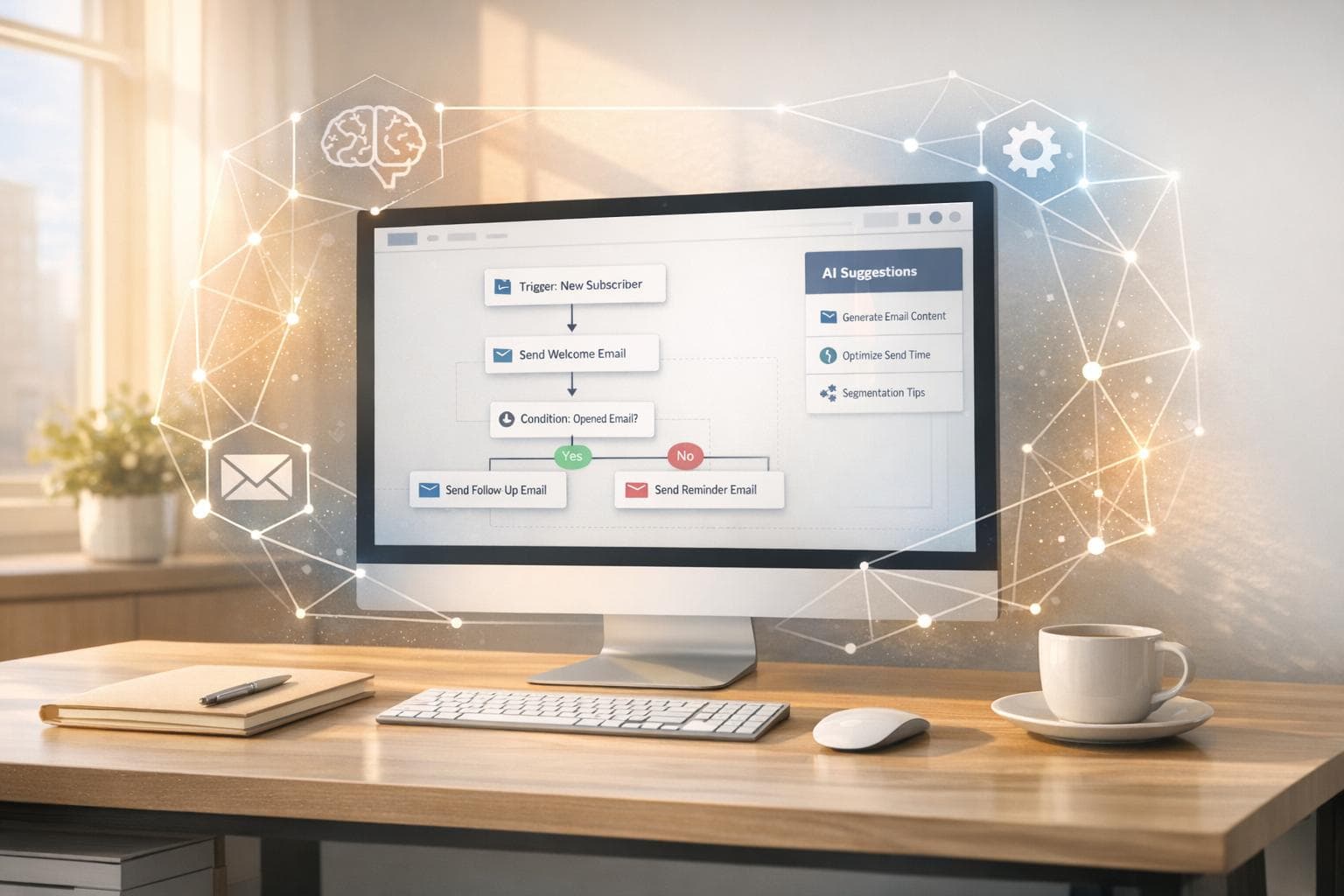
No-code email workflows simplify automation with visual tools, eliminating the need for coding, much like how you can automate your entire workflow with AI tools. But AI takes them further by enabling smarter decisions, analyzing unstructured data, and personalizing emails dynamically. Here’s the big picture:
- Time Savings: AI-powered workflows save professionals 4 hours weekly and cut response times by 12 hours.
- Efficiency: Teams using AI report productivity boosts of 60% and build workflows 90% faster.
- Personalization: AI crafts responses based on behavior, tone, and intent, far beyond basic merge tags.
- Scalability: AI handles complex tasks without extra staff, reducing operational costs by over 20%.
- Adoption Trends: AI-driven workflows are expected to grow from 3% in 2024 to 25% by the end of 2025.
Quick Comparison
| Feature | Basic No-Code Workflows | AI-Powered No-Code Workflows |
|---|---|---|
| Efficiency | Rule-based triggers | Dynamic decisions based on data |
| Personalization | Static merge tags | Behavior-driven, tone-aware responses |
| Cost | Low software cost, high labor | Higher upfront cost, 20%+ cost savings |
| Scalability | Limited by manual inputs | Handles large volumes autonomously |
| Optimization | Manual A/B testing | Predictive analytics for continuous improvement |
AI transforms email workflows from simple automation to intelligent systems capable of real-time decision-making and personalization. Start small, track metrics, and refine processes to maximize results.
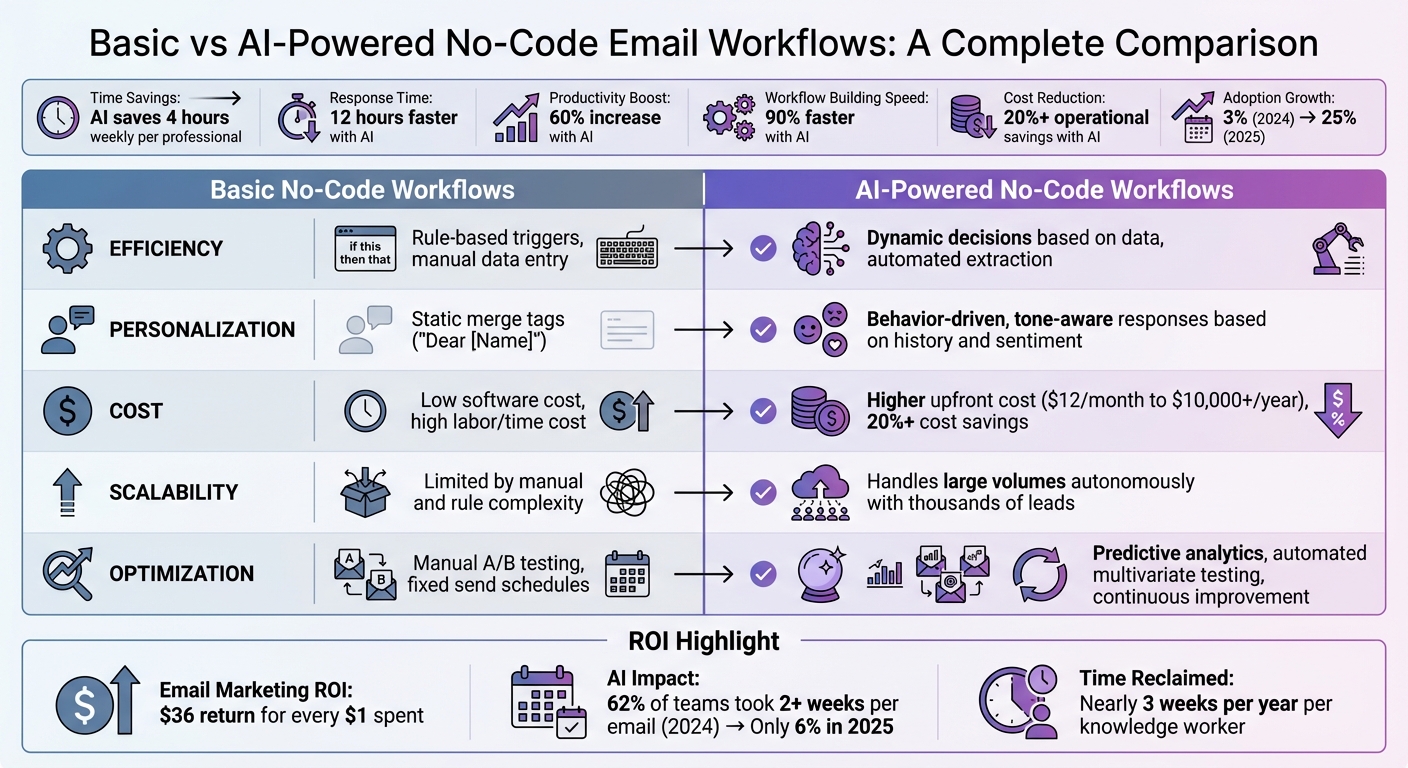
Basic vs AI-Powered No-Code Email Workflows Comparison
How I Automated Emails with AI in n8n (no code)
1. Basic No-Code Email Workflows
Basic no-code email workflows rely on AI automation tools and workflows like triggers, webhooks, and platform integrations to function. For instance, a form submission on your website can act as a trigger, connecting your CRM to an email service provider via a webhook. This setup allows data to flow seamlessly – no coding needed. These workflows operate on strict "if-this-then-that" rules, executing each step exactly as configured.
Efficiency Gains
Streamlining processes with basic automation can make a big impact. Teams using these tools respond to twice as many emails and save four hours per person each week. Take the company Popl, for example. In 2025, they implemented over 100 no-code workflows with Zapier to automate lead capture and routing through platforms like HubSpot and Salesforce. This eliminated manual data entry and saved them $20,000 annually. Similarly, Remote scaled its workforce to over 1,800 employees with just three IT staff members by utilizing Zapier to classify and prioritize 1,100 monthly tickets. This automation handled 28% of all requests, saving more than 600 hours each month.
Personalization Capabilities
Traditional email marketing often feels impersonal, sending the same message to everyone. No-code workflows change the game by segmenting audiences based on behavior, roles, or engagement levels. Features like merge tags let you personalize emails with fields like "First Name" or "Company." A great example is ActiveCampaign’s automated onboarding system from 2025. They tagged users by language and enrolled them in tailored webinars, achieving a 440% boost in webinar attendance and a 15% drop in early churn rates.
Cost and Scalability
These workflows are designed to run continuously, enabling you to scale outreach and build passive income with AI tools without needing to expand your team. Email marketing is especially cost-effective, delivering an average return of $36 for every $1 spent. Platforms like MailerLite and Brevo make scaling even easier with generous free plans – Brevo even offers unlimited contacts on its free tier. However, basic workflows do have their limits. If the input data doesn’t align with the predefined logic, the automation can fail.
Optimization Features
To get the most out of your workflows, use analytics dashboards to monitor metrics like opens, clicks, and conversions in real-time. This data helps you refine and improve your email sequences. Start with essential workflows – such as welcome emails or follow-ups – and review their performance monthly to identify and remove weak links. Just remember, automation isn’t a "set-it-and-forget-it" solution. Regular oversight and updates are crucial to keeping these systems effective. These foundational workflows also lay the groundwork for more advanced, AI-driven systems that can adapt dynamically based on real-time data insights.
2. AI-Powered No-Code Email Workflows
AI has completely changed the game for no-code email workflows, turning them into smart systems that can understand context, sentiment, and intent. With natural language prompts, marketers can now create advanced automation tools that analyze subscriber behavior in real time, predict the best times to send emails, and craft personalized content for every recipient. This goes far beyond the rigid "if-this-then-that" setups of traditional automation systems. Unlike older workflows that rely on fixed rules, AI-driven systems adjust dynamically to user behavior and context, marking a major leap forward from the static models of the past.
Efficiency Gains
AI dramatically speeds up email production and reduces the need for manual input. Back in 2024, 62% of marketing teams reported taking two weeks or more to produce a single email. By 2025, that figure dropped to just 6%, thanks to AI integration. Tasks that once required human judgment – like sorting support tickets by tone or routing emails based on intent – are now handled seamlessly by AI, which goes beyond simple keyword matching.
Teams using AI-powered workflows save 37% more time compared to those relying on traditional methods. These systems can automatically process incoming emails, filter out spam, and enrich lead data without needing constant human oversight. This allows even small teams to manage workloads that were once reserved for large enterprises.
"Real value shows up when AI starts taking the thinking parts of busywork and making them repeatable and fast."
- Nicole Replogle, Staff Writer, Zapier
Personalization Capabilities
AI takes personalization to a whole new level, enabling unique email content for each subscriber based on their specific behaviors and preferences. Instead of grouping audiences into broad categories, AI analyzes browsing history, purchase patterns, and engagement data to craft messages tailored to each individual. It even adjusts the tone and sentiment of emails to reflect urgency or emotion when needed.
Dynamic image personalization is another standout feature. Using webhooks, AI can generate real-time visuals, such as custom avatars or industry-specific graphics, for each recipient. For global campaigns, AI can automatically translate and localize content, ensuring that messages resonate in the recipient’s native language. Achieving this level of customization used to require large teams or hefty budgets, but AI has made it accessible and efficient.
Beyond just personalization, AI scales these intricate tasks without requiring specialized skills or additional resources.
Cost and Scalability
AI-powered workflows make it possible to handle complex tasks without ballooning costs or needing more staff. These tools simplify technical processes, allowing non-technical team members to create advanced systems using plain language instead of coding. This reduces reliance on expensive developers or data scientists for routine automation tasks.
Today, 64% of marketers report using AI in their roles, and nearly half (49%) say it has made them more effective. Looking ahead, 70% of email marketers predict that up to half of their email operations will be AI-driven by 2026.
Optimization Features
AI doesn’t just improve email performance – it does so continuously. Instead of relying on manual A/B testing, AI uses predictive analytics to refine strategies. For example, one marketer reported a 10x improvement in A/B testing results by using generative AI to study user behavior rather than just tweaking subject lines. Modern AI platforms also include tools to test prompts and evaluate outputs for accuracy. They can even clean up email lists automatically, identifying invalid or inactive addresses to boost deliverability rates. Unlike traditional systems that need constant manual updates, AI-powered workflows get smarter over time, learning from engagement data and adapting their strategies accordingly.
"AI is the key to making sure people open and read your emails."
- Salesforce
sbb-itb-4bfa3ba
Advantages and Disadvantages
Let’s dive into the strengths and limitations of basic workflows versus AI-powered workflows, highlighting how they stack up in key areas.
Basic workflows are great at handling straightforward, repetitive tasks with predictable inputs. They’re affordable, easy to set up, and ideal for small teams just starting out. However, they hit a wall when dealing with unstructured data or tasks that need nuanced decision-making. On the flip side, AI-powered workflows shine in automating complex processes. They can interpret unstructured data, make context-aware decisions, and scale operations without needing extra manpower – something basic workflows can’t manage.
When it comes to costs, the differences are stark. Basic workflows usually come bundled with standard email service provider plans, keeping software expenses low. But they can rack up labor costs due to manual triage, rule updates, and handling exceptions. AI workflows require a bigger upfront investment – ranging from $12/month for entry-level tools to over $10,000 annually for enterprise solutions. Despite this, companies report saving over 20% in operational costs after implementing AI. And here’s a striking stat: knowledge workers spend about a month each year managing email, but AI can reclaim nearly three weeks of that time.
| Feature | Basic No-Code Workflows | AI-Powered No-Code Workflows |
|---|---|---|
| Efficiency | Manual data entry and rigid rule-based triggers | Automated data extraction and dynamic orchestration |
| Personalization | Static merge tags like "Dear [Name]" | Hyper-personalization based on behavior, history, and sentiment |
| Cost | Lower software cost but higher labor/time cost | Higher tool cost but 20%+ operational savings |
| Scalability | Limited by manual hand-offs and rule complexity | Can handle thousands of leads with autonomous agents |
| Optimization | Manual A/B testing and fixed send schedules | Automated multivariate testing and predictive send-time optimization |
This comparison underscores a dramatic shift in efficiency and capability.
The choice is clear: basic workflows are perfect for simple, repetitive tasks, while AI-powered workflows are essential for scaling and delivering advanced personalization. These distinctions set the stage for refining email automation strategies to meet evolving demands.
Conclusion
AI is reshaping email automation by bringing a deeper level of understanding and adaptability to systems that once operated on rigid rules. With AI-powered tools, tasks like interpreting intent, extracting information from unstructured text, and making decisions that previously required human input are now automated. This shift allows businesses to move beyond broad, segment-based messaging to achieve true 1:1 personalization at scale – predicting customer actions and fine-tuning send times for individual subscribers. The result? Greater efficiency and a fresh perspective on how email strategies should evolve.
For businesses managing large volumes of unstructured data or aiming for scalable personalization, AI offers tangible benefits. It equips you with actionable insights to make precise, immediate improvements to your workflows.
Start small by automating tasks like summarizing feedback or drafting follow-up emails. Ensure your data is well-organized, keep a close eye on critical communications, and regularly track key performance metrics to fine-tune your approach. These steps lay the groundwork for transforming basic automation into intelligent systems that adapt to real-time customer behavior, unlocking the full potential of AI-enhanced email strategies.
For practical guidance and ready-to-use workflows, check out Your Automated Life (https://yourautomatedlife.com). The platform provides step-by-step instructions and resources to help you implement AI-driven email automation, whether you’re just starting out or scaling advanced personalization systems. It’s your go-to resource for revolutionizing how you manage email workflows.
FAQs
How does AI make no-code email workflows more personalized?
AI takes personalization in no-code email workflows to the next level by analyzing how recipients behave, what they prefer, and how they engage with emails. Using this information, it can craft subject lines, email content, and segmentation strategies that feel relevant and engaging to each individual.
When paired with drag-and-drop no-code tools, AI makes even advanced personalization tasks a breeze. It automates these processes, saving you time while boosting the impact of your email campaigns – all without needing any coding expertise.
What are the cost benefits of using AI-powered no-code email workflows?
Using AI-driven no-code email workflows can slash costs dramatically when compared to traditional custom-coded alternatives. Without the need to hire specialized developers, businesses can cut development expenses by as much as 80%. On top of that, these tools often swap out hefty upfront costs for budget-friendly subscription plans, making them an economical option for scaling email automation.
Beyond the cost savings, these workflows also save time and effort. They simplify the process of building and maintaining workflows, freeing up teams to concentrate on higher-level, strategic projects.
How can AI-powered workflows help small teams handle high email volumes effectively?
AI-driven workflows make handling emails much easier by sorting and prioritizing messages automatically, crafting tailored responses, and scheduling follow-ups based on the conversation’s context. These tools streamline inbox organization, cutting down on the need for manual intervention.
By taking over repetitive tasks, these solutions allow small teams to dedicate their time to more strategic efforts while still managing high volumes of emails with speed and precision.