
Tired of spending hours crafting emails? AI email copywriting tools can save you time, improve engagement, and streamline your workflow. With nearly half of B2B marketers already using AI for email content and 85% expected to adopt it by 2025, these tools are transforming how businesses communicate.
Here are 7 top-rated AI email tools for 2026:
- Writesonic: Best for cold email campaigns with features like subject line generators and integrations starting at $12.67/month.
- Rytr: A budget-friendly option ($9/month) offering multiple tones and templates for small teams and freelancers.
- Copy.ai: Ideal for marketing teams with brand voice training and LinkedIn-powered email generators, starting at $49/month.
- Jasper: Great for scaling content production with advanced templates and workflows, starting at $39/month.
- Anyword: Focused on data-driven marketers, offering predictive performance scores, starting at $39/month.
- Lavender: Built for sales teams, with real-time email scoring and personalization tools for $29/month.
- Grammarly: A trusted writing assistant with tone adjustments and AI-generated drafts, starting at $12/month.
These tools help automate repetitive tasks, create personalized emails, and improve overall efficiency. Below, explore their features, pricing, and use cases to find the right fit for your needs.
Quick Comparison
| Tool | Starting Price | Key Features | Best For |
|---|---|---|---|
| Writesonic | $12.67/month | Subject line & CTA generators, integrations | Cold email campaigns |
| Rytr | $9/month | 30+ languages, 20+ tones, rich-text editor | Budget-conscious freelancers |
| Copy.ai | $49/month | LinkedIn-powered generator, brand voice | Marketing teams |
| Jasper | $39/month | 50+ templates, workflows, multi-language | Agencies and enterprises |
| Anyword | $39/month | Predictive scores, rewrite tool, unlimited | Data-driven marketers |
| Lavender | $29/month | Email scoring, spam detection, analytics | Sales teams and SDRs |
| Grammarly | $12/month | Tone checker, full-sentence rewrites | Professionals needing polished emails |
These tools are changing the game for email marketing and sales. Whether you’re looking for affordability, advanced analytics, or seamless integrations, there’s an option for everyone.
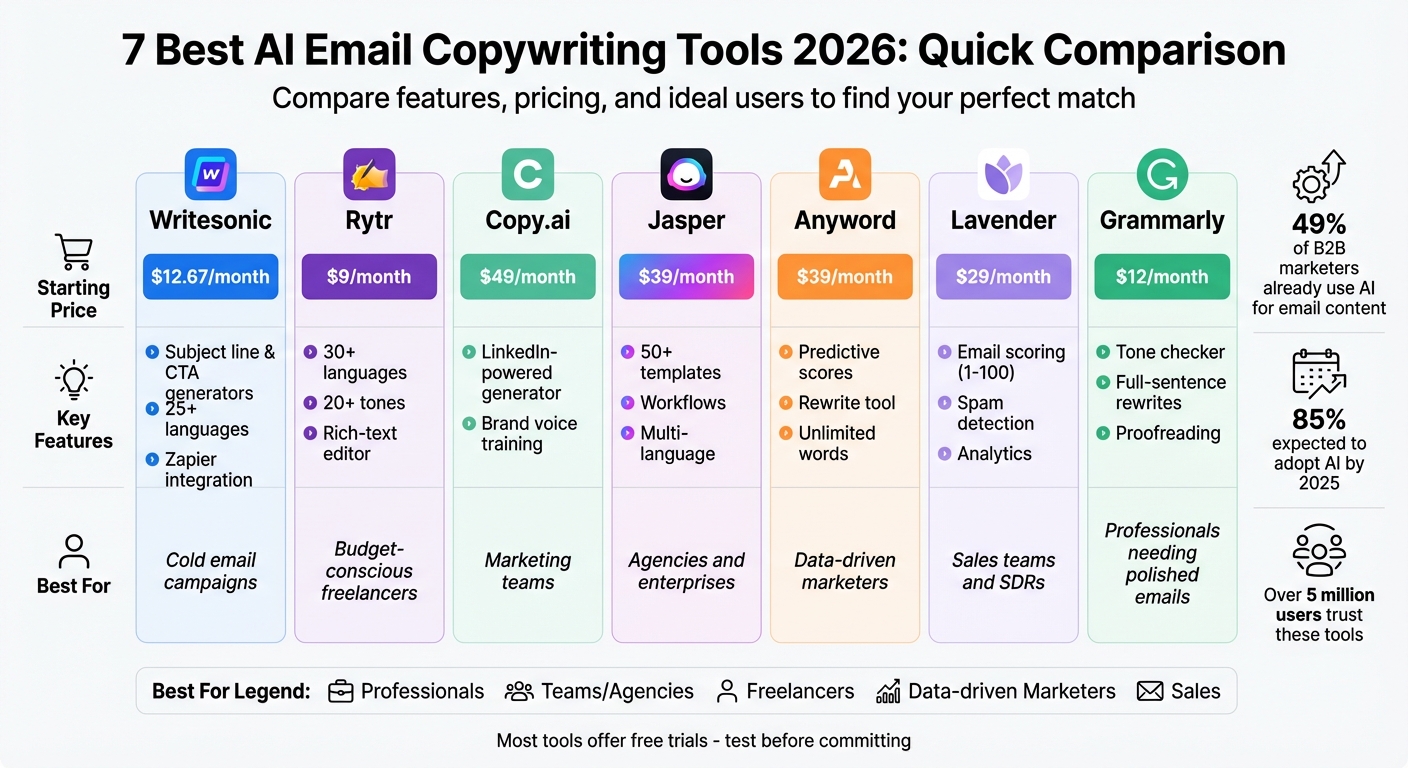
AI Email Copywriting Tools Comparison: Features, Pricing & Best Use Cases 2026
Seriously, watch this before you use AI to write emails
1. Writesonic
Writesonic has carved a niche in cold email outreach, earning the trust of over 5 million users. With its Email V2 workspace, users can input recipient details – like name, position, description, and type – and instantly generate multiple email variations. This makes it particularly handy for sales teams and marketing agencies focused on personalized outreach campaigns.
Pricing
Writesonic offers a range of plans to suit different needs:
- Free Plan: Includes 10,000 words per month.
- Economy Plan: Starts at $16/month, providing 60,000+ words.
- Business Plan: Costs $12 per seat per month (billed annually) and includes 200,000+ words along with priority support.
- Chatsonic Agent Plan: Available for $20/month, offering advanced features.
- Enterprise Plans: Offer unlimited words and custom AI model training, with pricing tailored to specific requirements.
These options make Writesonic accessible to a wide range of users, from individuals to large organizations.
Email Generation Features
Writesonic boasts tools for generating subject lines, cold emails, and CTAs. The platform adapts to your tone through feedback, supports content creation in over 25 languages, and includes up-to-date citations for added credibility.
Target Users and Integrations
Writesonic integrates seamlessly with a variety of platforms, including Zapier (connecting to 5,000+ apps), Gmail, Slack, Notion, Google Sheets, Shopify, WordPress, and Wix. It also features:
- Surfer SEO Integration: Enables real-time content optimization.
- Ahrefs Integration via Chatsonic: Offers keyword research and competitor analysis tools.
In 2025, Creasquare, an AI-powered platform, incorporated Writesonic’s API to supercharge its content creation, generating millions of words and expanding its global footprint. This level of integration makes Writesonic a versatile choice for businesses aiming to streamline their outreach and content efforts.
2. Rytr
Rytr is a cost-effective email copywriting tool designed with freelancers and small teams in mind. It relies on trusted copywriting frameworks like AIDA (Attention, Interest, Desire, Action) and PAS (Problem, Agitate, Solution) to create emails that drive results.
Pricing
Rytr offers a simple and affordable pricing model. The Free Plan allows users to generate up to 10,000 characters per month at no charge. For those with larger needs, the Saver Plan costs $9/month and provides up to 100,000 characters. The Unlimited Plan, priced at $29/month, offers unlimited character generation along with priority support. All plans include access to over 40 use cases, support for more than 30 languages, and over 20 tones of voice.
This pricing structure ensures accessibility without compromising on features.
Email Generation Features
Rytr provides over 20 tones of voice, helping you align your email content with your brand’s personality. Its rich-text editor allows you to tweak your copy on the spot. A standout feature is the Custom Use Case option, which enables the AI to adapt to your specific writing style by analyzing previously successful emails. For A/B testing, Rytr can generate up to three email variations at once, saving you time and effort.
Target Users and Integrations
Rytr’s tools are designed to fit seamlessly into your workflow. It integrates with SEMrush for SEO-driven content and offers a WordPress plugin for easy publishing. The Chrome extension is particularly useful, letting you create and edit email copy directly in Gmail or Outlook without the need to switch tabs.
With a 99% customer satisfaction rate and recognition from G2 as a top AI writing solution, Rytr has earned trust across industries. Web developer Deanna McLean shares her experience:
"Rytr is an excellent option for those looking to incorporate an AI writing tool on a budget. It’s an affordable option with multi-language support, allows you to create your own writing style, and offers tons of templated writing styles to boot."
3. Copy.ai
Pricing
Copy.ai offers flexible pricing options designed to meet the needs of individuals and teams of all sizes. The Free Plan includes 2,000 words per month in Chat, powered by GPT-4o and Claude 3. For those needing more, the Starter Plan costs $49 per month and provides unlimited words and projects. If you’re looking for advanced features, the Advanced Plan is available at $249 per month, offering up to 5 seats, 2,000 workflow credits each month, and access to a Workflow Builder for creating custom email sequences. For larger organizations, Enterprise plans include unlimited seats and dedicated support, with pricing available upon request. Paid plans also come with a 20% discount when billed annually.
Email Generation Features
Copy.ai goes beyond standard tools with features that simplify and elevate email creation. It offers over 30 email marketing templates, tailored to various needs. The Brand Voice Training feature adapts to your company’s unique tone, ensuring emails feel personal and on-brand. For outreach, the LinkedIn-powered cold email generator crafts personalized messages using a prospect’s LinkedIn URL. Additionally, Copy.ai supports popular copywriting frameworks like AIDA and PAS, while its Tone Adjuster lets you tweak emails to sound formal, casual, friendly, or authoritative, depending on your audience. To save time, the platform can even repurpose blog posts or webinar transcripts into polished email sequences.
Target Users and Integrations
Designed with versatility in mind, Copy.ai integrates seamlessly into workflows and caters to a wide variety of users. With over 10 million users globally, it’s a go-to tool for marketing teams, sales professionals, and agencies managing high-volume content. The platform connects with more than 2,000 tools, enabling smooth automation for tasks like CRM analysis, multi-touch campaigns, and content repurposing. For those on the Advanced Plan, the Workflow Builder further streamlines processes, automating tasks such as personalized onboarding and winback campaigns. While Copy.ai boasts an impressive 4.7/5 rating on G2, some users note delays in customer support response times, which can exceed 72 hours during busy periods. As always, it’s wise to review AI-generated content for accuracy.
4. Jasper
Pricing
Jasper has pricing options tailored for everyone, from solo marketers to large enterprises. The Creator Plan starts at $39 per month per seat, offering one brand voice, SEO mode, and a handy browser extension – perfect for individuals wanting to dip their toes in. For $59 per month per seat, the Pro Plan supports up to five seats, allows multiple brand voices and campaigns, and includes access to Jasper Art. For businesses with more complex needs, the Business Plan provides unlimited usage, custom style guides, API access, and enterprise-grade security, with pricing customized to fit specific requirements. All plans come with a 7-day free trial, so you can test the waters before making a commitment.
Next, let’s dive into how Jasper’s features can transform email creation.
Email Generation Features
Jasper simplifies the email creation process with over 50 templates and a one-click rephrase tool to tweak tone, length, or platform compatibility effortlessly. The Style Guide feature ensures your emails adhere to your brand’s visual and editorial standards directly within the editor. With Jasper IQ, you can integrate your company knowledge, audience insights, and best practices into every email. Plus, the Campaign Workflows tool makes building automated email sequences a breeze – just input pain points, your company description, and audience details, and Jasper takes it from there. The platform supports over 30 languages, making it a great choice for global teams.
"I recommend Jasper to every marketer in my B2B SaaS community because it’s the best AI tool for creating campaigns." – Dave Gerhardt, Founder of Exit-Five
Target Users and Integrations
Jasper is built to meet the needs of a wide range of users and integrates seamlessly with popular tools. Trusted by over 100,000 companies, it’s ideal for marketing teams, agencies, eCommerce businesses, and enterprises looking for scalable and brand-consistent content. Jasper offers browser extensions for Gmail and Outlook, making email creation even more convenient. It also integrates with platforms like Google Docs, WordPress, and Surfer SEO. For advanced functionalities, Jasper’s Model Context Protocol (MCP) connects with external data sources like Salesforce and HubSpot. With stellar reviews – 4.7/5 on G2 and 4.8/5 on Capterra – users rave about its ability to overcome writer’s block and produce high-quality content up to 10 times faster than traditional methods.
sbb-itb-4bfa3ba
5. Anyword
Pricing
Anyword keeps things simple with its Starter Plan, costing $39 per month for a single user. This plan includes unlimited word generation and comes with a 7-day free trial. That means you can explore all the platform’s copywriting tools before making a commitment. It’s a great fit for solo marketers or small teams looking for a budget-friendly option without sacrificing functionality.
Email Generation Features
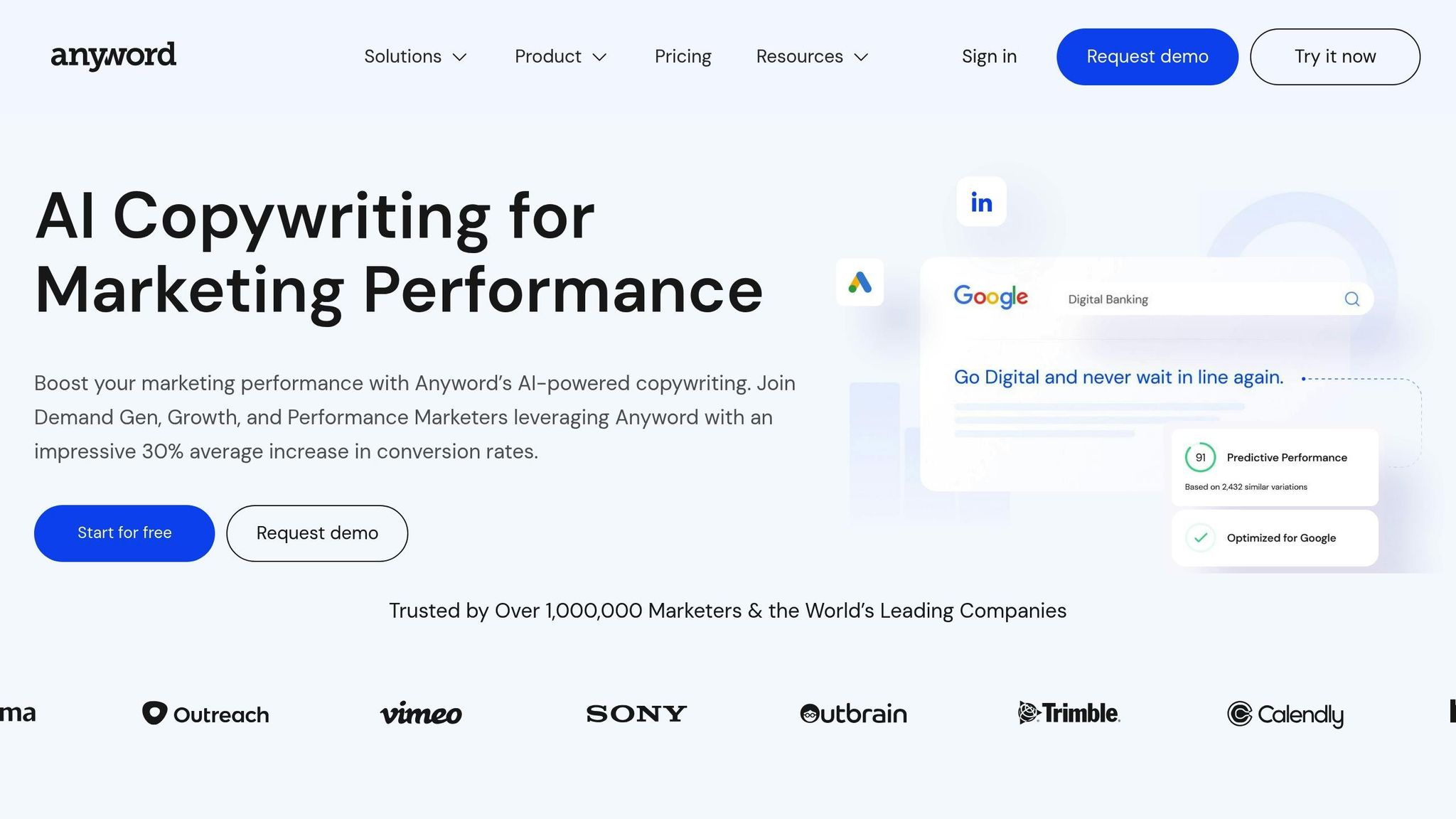
One of Anyword’s standout features is its Predictive Performance Score, which evaluates your email copy and forecasts how well it might convert. This tool takes the guesswork out of writing effective emails. You’ll also find specialized generators tailored for Cold Emails, Promotional Emails, and Email Subject Lines, all designed to improve open rates and drive conversions. Plus, the Rewrite tool polishes your drafts while the Data-Driven Editor updates performance scores in real time, giving you actionable insights as you write.
"Anyword has helped us marry the data world and the creative world. We’ve used Anyword to analyze what we’ve been doing and create smarter content – and it’s working! We went from an average of 2.5% to now seeing our emails achieve an 8% click-through rate."
– Freya Smale, Director of Marketing, Automotive
Target Users and Integrations
Anyword is a go-to solution for GTM teams, email marketers, and demand generation teams who value data-backed content that drives results. On average, marketers using the platform report a 30% boost in conversion rates.
Integration is a breeze with Anyword’s Chrome Extension, which lets you create and optimize email copy directly within your favorite tools like Gmail, ChatGPT, Notion, or Google Gemini. For larger teams, the platform offers a dedicated API for custom integrations and a Brand Voice Management feature to ensure all your messaging stays consistent and on-brand. Whether you’re a small team or an enterprise, Anyword equips you with the tools to craft emails that perform.
6. Lavender
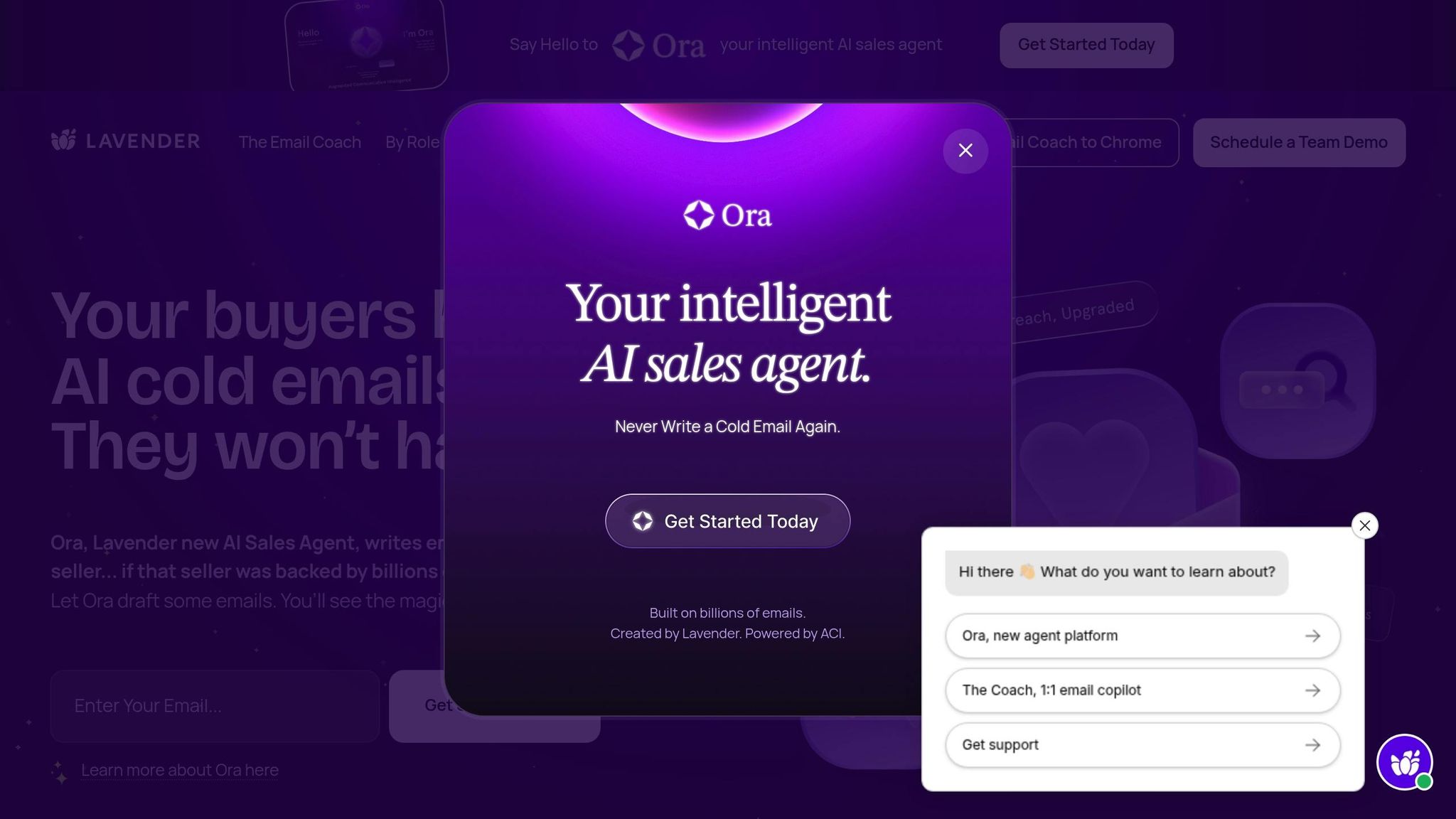
Lavender takes email generation to the next level by focusing on personalization and analytics tailored specifically for sales teams.
Pricing
Lavender has pricing plans designed to suit a variety of users:
- Basic Plan: Free forever; includes analysis and personalization for up to 5 emails per month – perfect for testing the waters or starting to build passive income with AI tools.
- Starter Plan: $29/month (or $27/month when billed annually); offers unlimited emails, personalization, and AI-driven recommendations.
- Individual Pro Plan: $49/month (or $45/month billed annually); adds full integrations and priority support.
- Team Plan: $99 per seat/month (or $89 per seat billed annually); includes a Coaching Dashboard, aggregated analytics, and human-led coaching programs.
Students, job seekers, and entrepreneurs with limited resources can apply for free access through a special program.
Email Generation Features
Lavender’s AI Email Coach is a standout feature, scoring emails in real time on a scale of 0–100. It highlights weak spots, suggests improvements, and draws on a vast database of email data for actionable recommendations. The Personalization Assistant pulls information from LinkedIn profiles, company websites, and recent news to create tailored intro lines and personality-driven insights, helping users achieve a 30% higher reply rate compared to standard templates.
Other tools include tone and sentiment analysis to craft empathetic messages, spam detection to avoid trigger words, and a mobile optimization checker to ensure emails look polished on any device.
"The impact of Lavender has been enormous. Our sellers are writing emails in half the time and getting twice as many replies."
– Kyle Coleman, CMO, Clari
Target Users and Integrations
Lavender is built for sales development representatives (SDRs), account executives (AEs), and sales managers aiming to enhance outreach quality and efficiency. Lindsey Boggs, Global Director of Sales at Lucidworks, shared that using Lavender led to a 42% increase in replies, a 200% rise in meetings booked, and a 300% jump in pipeline growth for her team in 2023. Similarly, Jack Ryan, Partner Manager at SaaStr, reported generating $3 million in sales over 11 months through Lavender-powered cold email campaigns.
Lavender integrates seamlessly with tools like Gmail, Outlook, Outreach, Salesloft, HubSpot, Apollo, Groove, and Gong. The Lavender Anywhere Chrome extension brings the AI coach directly into your email editor, pulling prospect data and CRM history without requiring you to switch tabs. For managers, the Coaching Dashboard provides insights into team performance, helping track ROI and identify team members who may need extra guidance. These features are essential for those looking to build an AI automated income stream through efficient sales operations. These capabilities make Lavender a powerful ally in the world of AI-driven email copywriting.
7. Grammarly
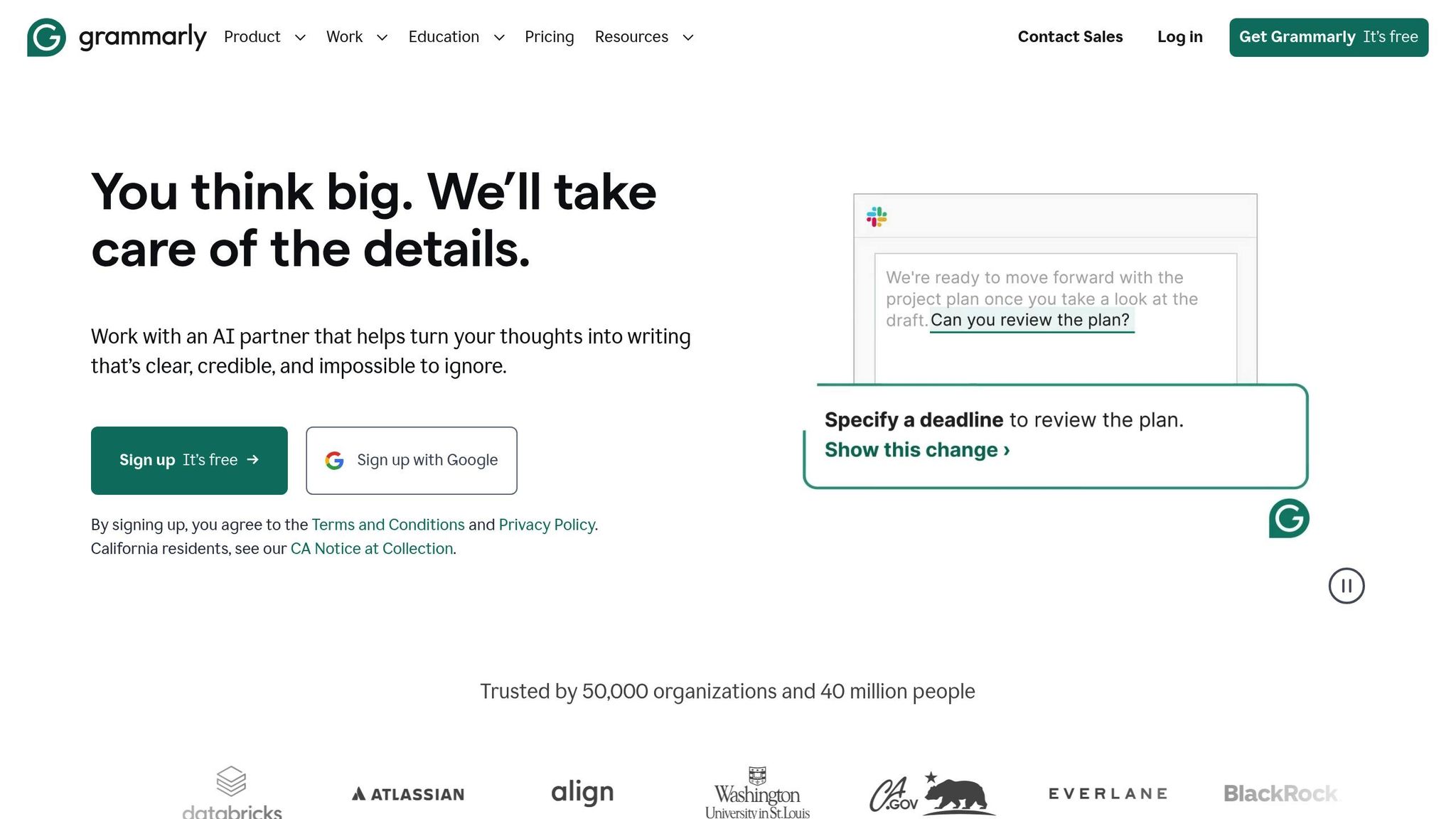
Grammarly wraps up this list as a trusted AI writing assistant, widely used for its full email drafting capabilities. With over 40 million users and 50,000 organizations relying on it daily, it’s a go-to tool for professionals aiming to write faster and with more confidence.
Pricing
Grammarly offers three pricing tiers to cater to different needs:
- Free Plan: Includes basic grammar, spelling, and punctuation corrections, plus 100 generative AI prompts per month – perfect for occasional email writers.
- Pro Plan: Starting at $12/month when billed annually ($144 total), this plan unlocks advanced features like full-sentence rewrites, tone adjustments, and 2,000 AI prompts per month.
- Enterprise Plan: Designed for teams, it offers custom pricing, unlimited AI prompts, dedicated support, and advanced security features like BYOK encryption.
Email Generation Features
Grammarly doesn’t just correct mistakes – it helps you craft polished emails effortlessly. Its generative AI can create entire emails, replies, and subject lines from simple prompts. For instance, you can type a brief prompt, and Grammarly will instantly produce a well-structured message.
The platform also lets you adjust tone and formality with a single click, making it easy to switch between professional, friendly, or persuasive styles. Real-time rewriting suggestions help improve clarity and conciseness, while the fluency feature offers specific guidance for non-native English speakers to ensure their writing sounds natural and professional.
"I prefer Grammarly over other tools because it aligns with the platforms I use, offering a seamless editing experience without switching between apps."
– Kit Cischke, Educator
Target Users and Integrations
Grammarly is a great fit for frequent email writers like marketers, sales professionals, executives, and support teams. Neil Hamilton, Head of Editorial, shared, "I used to spend 20–30 hours a week reviewing, rewriting, and coaching. Grammarly has cut that by at least half, and that’s allowed my team to scale without scaling".
The tool integrates with over 1 million apps and websites, including Gmail, Outlook, Slack, Salesforce, Zendesk, Google Docs, and Microsoft Office. Browser extensions for Chrome, Firefox, Edge, and Safari bring AI features directly into web email clients, while desktop and mobile apps ensure seamless performance across devices.
Tool Comparison Table
When selecting an AI email tool, it all boils down to your priorities – whether that’s affordability, advanced analytics, or seamless integrations. Here’s a quick comparison of seven popular tools, breaking down their pricing, standout features, and ideal users.
| Tool | Starting Price | Key Features | Best For |
|---|---|---|---|
| Writesonic | $12.67/mo | Subject line & CTA generators, 25+ languages, Zapier integration | Cold email campaigns and high-volume outreach |
| Rytr | $9/mo | 30+ languages, 20+ tones, 40+ use cases | Budget-conscious freelancers and content creators |
| Copy.ai | $49/mo | LinkedIn-powered generator, brand voice training, 90+ workflows | Marketing teams needing brand consistency |
| Jasper | $39/mo | 50+ templates, brand voice analyzer, Google Docs integration | Agencies and enterprises scaling content production |
| Anyword | $39/mo | Predictive performance scores, rewrite tool, unlimited words | Data-driven marketers optimizing for engagement |
| Lavender | $29/mo | Real-time email scoring (1-100), spam detection, mobile optimization | Sales teams and SDRs focused on reply rates |
| Grammarly | $12/mo | Tone checker, GrammarlyGO generation, proofreading | Professionals needing error-free writing across platforms |
This comparison makes it easy to see which tool aligns with your needs. For instance, Rytr is a great budget-friendly option at just $9/month, while Grammarly stands out for its browser extension that works across almost every email platform. If you’re scaling cold outreach, Writesonic and Copy.ai offer specialized templates, while Jasper and Anyword cater to those prioritizing brand consistency and performance insights.
Most tools offer free plans or trials, so you can test them out before committing. Whether you’re aiming for high-volume outreach, polished drafts, or consistent branding, there’s a tool on this list to streamline your workflow with AI automation tools.
Conclusion
AI email copywriting tools have become a game-changer for businesses aiming to improve both engagement and efficiency. In fact, 49% of B2B marketers already use generative AI to craft email content, highlighting how integral these tools have become in modern marketing workflows. Choosing the right tool, however, depends on your unique needs and budget.
If you’re operating on a tighter budget, tools like Rytr and Writesonic offer impressive features at more affordable price points. For sales teams focused on boosting reply rates, Lavender stands out with its real-time coaching and scoring features. On the other hand, large enterprises looking to maintain a consistent brand voice across teams will appreciate Jasper’s advanced voice replication and compliance capabilities. And for those who want to ensure their email content performs well before hitting send, Anyword provides performance predictions to help safeguard your ROI by pinpointing weaker copy upfront. Be sure to check the comparison table above for a quick breakdown of features, pricing, and use cases.
These tools are designed to save time by automating repetitive tasks like drafting, A/B testing, and scaling personalization. This means you can focus more on strategy and building meaningful relationships. Take advantage of free trials to find the tool that fits seamlessly into your workflow. Just keep in mind that AI works best as a partner, not a replacement – always add your personal touch to verify facts, bring in emotion, and ensure your message aligns with your brand.
FAQs
How can AI tools make email copywriting more personalized?
AI email copywriting tools take personalization to the next level by tapping into data like a recipient’s name, purchase history, browsing habits, and engagement patterns. This allows them to craft content that feels tailored to each individual. From customizing subject lines to recommending products or adjusting the tone, these tools make emails feel like they were written just for the recipient.
They also keep learning. By analyzing user interactions – like which emails get opened or what links are clicked – these tools fine-tune content and timing for better results. On top of that, they can automatically segment audiences and create multiple email versions, ensuring every group gets the most relevant message. The result? Marketers save time while delivering highly personalized emails that drive stronger engagement and higher conversion rates.
How do the pricing and features of these AI email copywriting tools compare?
The world of AI email copywriting tools offers a variety of options to fit different budgets and needs. Rytr is the most budget-friendly, priced at $9/month, and focuses on basic email generation and subject-line suggestions. WriteSonic, starting at $12.67/month, provides templates for cold emails, follow-ups, and subject lines. For $39/month, Scalenut specializes in sales emails, offering longer drafts and even SEO tools. On the higher end, Copy.ai starts at $49/month, standing out with its ability to create tone variations and outreach templates.
For those seeking integrated solutions, ChatGPT is available with a free tier or a premium plan ranging from $25 to $30/month. It’s excellent for drafting and rewriting emails with a variety of tone options. Google Gemini, included in select Google Workspace plans, operates directly within Gmail, allowing users to write, edit, and schedule emails effortlessly. Other tools like MailerLite, Lavender, Grammarly, MailMaestro, and Jasper offer specialized features such as tone analysis, grammar checks, and automation, though their pricing details are not always readily available.
Whether you’re looking for a low-cost tool like Rytr or WriteSonic for quick drafts, a mid-tier option like Scalenut with added functionalities, or premium choices like Copy.ai, ChatGPT, and Gemini for advanced customization and integrations, there’s a solution to match every need.
How can AI tools like Lavender help sales teams improve email response rates?
AI tools such as Lavender help boost email response rates by creating personalized and context-aware messages that go beyond the usual cookie-cutter templates. By leveraging recipient data, these tools craft emails that feel more engaging and relevant, making it easier to grab attention.
Sales teams that adopt AI-powered email tools often see as much as a 30% jump in reply rates. This means they can connect with prospects more effectively and speed up the process of closing deals.